 All posts
Declutter and Organize: A Room-by-Room System
Learn how to declutter and organize your home with a room-by-room system. Discover why documenting what you keep is the secret to a lasting home inventory.
Corey Everett built Arclyst from a background in Library and Information Science, with the goal of bringing structured information management into everyday home life.
Gemini-assisted drafts are reviewed by Corey Everett before publication.
Publisher: EverCreate Studio
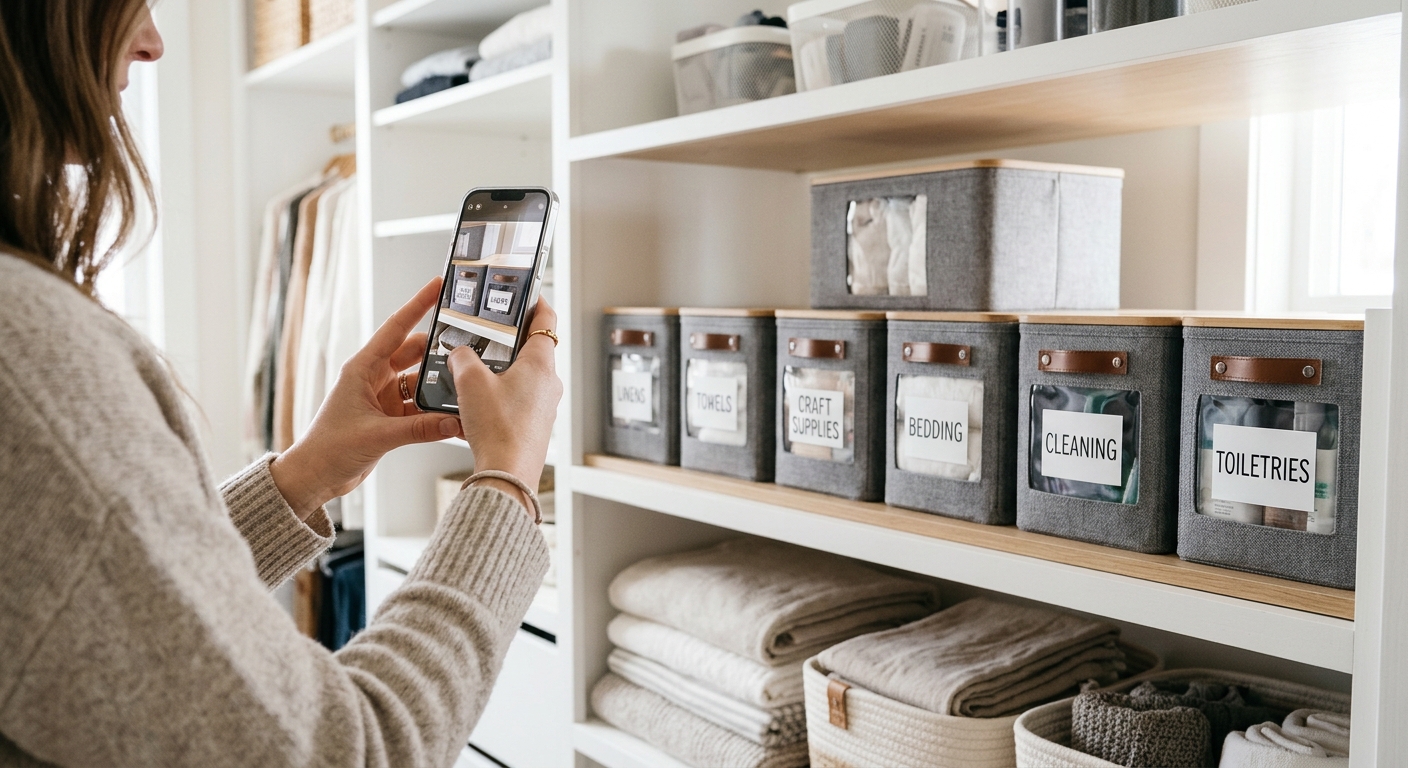
Imagine staring into a hallway closet, looking for a simple extension cord, only to trigger an avalanche of winter coats, mystery boxes, and forgotten hobby gear. The frustration isn't just about the mess; it is the crushing realization that you spent an entire weekend organizing this exact space six months ago. Decluttering often feels like a temporary reset rather than a permanent solution because it usually ends the moment the donation bags leave the house.
To declutter and organize so it actually lasts, you need to pair every keep-or-toss decision with a documentation step: a photo, a location, and a category for each item you keep. That turns a weekend tidy-up into a searchable home catalog you can still use a year from now, and it establishes a baseline of documentation if you ever need to file an insurance claim.
Key takeaways
- Decluttering fails without a documentation step because you eventually forget what you kept and where it lives.
- Attach a photo, category, and location to every kept item to help establish proof of ownership for potential insurance claims.
- Run a three-step loop room by room: decide what stays, document the item, and assign it a searchable home.
- Document items while you are holding them to avoid the separate chore of typing rows into a spreadsheet later.
- Keep your inventory current by photographing new items the day they arrive and removing donated items immediately.
Why decluttering doesn't stick without a record of what you kept
Decluttering fails because it ends at the donation bag. You make a pile of things to give away, feel a brief sense of accomplishment, and then shove the remaining items back onto a shelf. Six months later, you cannot find the good extension cord, you forget which opaque plastic bin holds the spare HDMI cables, and you cannot remember whether you still own a specific power drill or if you lent it to a neighbor. Without a record of what you kept and where it lives, the closet resets itself to a state of chaos.
The fix is a documentation step attached to every single item you decide to keep: a photo, a designated room, and a category. This is not just about finding your things faster; it is also about protecting them. If a fire or break-in occurs, your insurance carrier will ask for a detailed list of what was lost. The Insurance Information Institute generally recommends keeping a home inventory with photos, receipts, and serial numbers to help substantiate a claim.
Each kept item needs a record, not just a shelf. When you build a record, you are building a system that outlasts your memory.
What does 'declutter and organize' actually mean as a system?
Most decluttering advice stops at the toss pile. Experts tell you how to fold your shirts or how to emotionally detach from old books, but a functional organization system has three distinct steps, and almost everyone skips the middle one.
Step 1: Decide (keep, toss, donate)
The rule here is to touch each item once and immediately sort it into a keep, toss, or donate pile. However, the decision is only half done. A kept item with no record attached is the exact reason your kitchen junk drawer stays a mystery. If you decide to keep an item, you must commit to managing it.
Step 2: Document (photo, category, serial number)
For every item you keep, capture three core pieces of information: a photo, a category, and—for anything with a serial number or a receipt—that number too. This is the documentation layer that makes an insurance claim survivable and makes finding your belongings effortless. A photo catalog built this way works best when executed room by room, capturing wide shots and close-ups, as described in our home inventory photo system.
Step 3: Assign a home (location you can search later)
Every kept item gets one specific location: "hall closet, top shelf, blue bin." Write this location into the item's digital record, not just on a piece of masking tape stuck to the shelf. Now, "where are the spare batteries?" becomes a search query on your phone, not a physical hunt through three different rooms. That is what turns one exhausting weekend project into a repeatable, lifelong system.
How to declutter and organize your home room by room
Every room uses the exact same loop: decide what stays, document what stays, and give it an assigned home. The only thing that changes from room to room is how much documentation each item actually needs. Use this framework as your working guide as you move through your house.
| Room | Decide | Document | Assign a home |
|---|---|---|---|
| Closet and wardrobe | Keep what fits and gets worn | Photo per keep, brand/size notes | Shelf, rod, or bin by category |
| Kitchen and pantry | Toss expired, duplicate small appliances | Photo for appliances with serial numbers | Cabinet zones, one category per zone |
| Garage, tools, hobby gear | Keep what you used in the last year | Photo plus serial for power tools, cameras, bikes | Labeled bins on shelves, not the floor |
| Living room and electronics | Keep what you actually plug in | Photo of each device, cables in one bin | Media console or shelf, one device per spot |
| Sentimental and high-value | Keep deliberately, not by default | Photo, receipt or serial, approximate value | Fire-safe box or fixed shelf |
Closets and wardrobes
Closets are fast because a photo of a standard cotton t-shirt rarely matters in an insurance claim. You do not need to document every pair of socks. Focus your documentation on high-value items: designer shoes, expensive winter coats, tailored suits, and luxury handbags. Everything else just needs an assigned shelf or drawer.
Kitchens and pantries
The kitchen is a mix of high-value hardware and low-value consumables. Toss the expired spices and donate the duplicate spatulas. Your documentation effort should focus entirely on small appliances: the stand mixer, the espresso machine, the high-end blender. Capture the manufacturer label on the back or bottom of these appliances.
Garages, tools, and hobby gear
The garage and living room are where documentation truly earns its keep. Serial numbers, model numbers, and proof of ownership live or die here. Power tools, camping equipment, and bicycles are high-theft items that are expensive to replace. When you organize storage bins in the garage, a nicely labeled box helps nothing if you forget which corner you stacked it in. The label names the physical box; the digital record tells you exactly what is inside it.
Living rooms and electronics
Keep what you actually plug in and use. Documenting electronics requires capturing the serial number, which is usually hidden on the back of the television, the bottom of the gaming console, or inside the settings menu of a tablet. Keep all spare cables in a single assigned bin, and log that bin's location.
Sentimental items and high-value assets
Keep sentimental items deliberately, not by default. For high-value assets like jewelry, art, or collectibles, documentation is critical. Capture a clear photo, any certificates of authenticity, appraisals, and receipts. Store the physical items in a fire-safe box or a highly secure, fixed location.
Run this loop one room per session. Arclyst turns each documented item into a searchable entry with a photo, location, and category, so the garage bin you packed in March is easy to find in October.
What should you document when you declutter a closet?
Photograph anything you would need to replace on an insurance claim: electronics, jewelry, tools, instruments, and anything with a serial number. A serial number is one of the strongest pieces of documentation you can capture because it ties the item specifically to you. For high-value pieces, add the purchase date and price if you have the receipt.
Skip the camera for consumables and low-value duplicates. Nobody files a claim for spare plastic hangers, expired sunscreen, or a third white T-shirt. Photographing every cheap, replaceable item is exactly why inventory attempts die in the hallway closet. It creates unnecessary friction.
The middle zone requires judgment: a $90 kitchen appliance is borderline, but a $900 espresso machine is not. A useful rule of thumb: anything you would notice missing within a week deserves a photo, a room assignment, and a category.
Arclyst's photo-based approach handles the record side, but the closet rule stays the same: document what you kept, not what you discarded.
How do you document items you hate spreadsheeting?
Photo-first apps vs manual spreadsheets vs QR label systems
Your previous spreadsheet died for the same reason everyone's does: typing rows is a separate chore from physically touching your stuff, so it never happens. You sort a dusty box of tools, wash your hands, and by the time you sit down at your laptop, you have lost the motivation to type out twenty different brand names and model numbers.
Photo-first apps collapse those two steps. You photograph an item while you are holding it, the app captures what it is and where it lives, and the record exists before you have even put the box back on the shelf. Arclyst is built entirely around this workflow: start with photos, let the app build the record, and your home becomes searchable room by room. If you want a sense of what people frequently forget to capture when they avoid spreadsheets, reviewing a list of commonly missed renters insurance inventory items is a useful checklist before you start shooting.
Where each approach falls short
QR label systems and sticker-based organizers make any physical object scannable, but stickers leave sticky residue, fall off in hot garages, and still depend on you attaching them consistently to the right boxes.
Manual spreadsheets stay perfectly accurate, but they demand a level of ongoing discipline that almost nobody has.
Photo-first apps fail differently: photo scanning and AI categorization can occasionally misread a smudged serial number or misclassify a highly niche tool. Because of this, you should always check the extracted data for your highest-value items by hand to ensure the serial number matches the photo exactly.
How does a searchable catalog change the way you organize?
Labeling boxes and memorizing locations fails the moment you forget which closet holds the spare computer cables, or when a family member moves a box without telling you. A searchable catalog replaces human recall with a digital query: type "serial number," "warranty," or "junk drawer" into your phone, and the item appears with its photo, category, and assigned home.
This is the difference between organizing once and organizing every time. Room-by-room decluttering gives each kept item a physical location; the digital catalog makes that location searchable by any detail you recorded, not just the broad label on the outside of the box. When you need documentation for an insurance claim, you simply search and export, instead of trying to reconstruct your living room from memory after a disaster.
It also changes what you keep. An item you can find in seconds is cheaper to store than one you will hunt for, fail to find, and ultimately rebuy. That is the practical, financial case for documentation over simple labeling.
Arclyst builds this catalog from photos: snap items as you declutter, and the record becomes searchable room by room. Where it falls short, like any photo-based system, is items you never photograph—so you have to build the habit of documenting them while you are already holding them.
When should you declutter and organize: before a move, before a policy renewal, or after a near-miss?
Run the system on three natural triggers.
A move is the best forcing function. Documenting belongings before a move allows you to photograph and assign every box to its destination room, ensuring nothing arrives unrecorded and no empty boxes are claimed as "lost in transit."
A policy renewal is the second trigger. Insurance carriers want documentation after a loss, and an annual renewal date is a natural deadline to walk through your house and photograph serial numbers, receipts, and warranties room by room.
The third trigger is a near-miss, like a neighbor's house fire, a burst pipe in the apartment above yours, or a break-in down the street. This is when the anxiety peaks and most people finally start taking their home inventory seriously.
A near-miss also shows you what your current setup can and cannot do. A standard cloud photo drive gives you searchable pictures, but no room assignments, no category tags, and no easy way to export a claim-ready spreadsheet. Arclyst adds the necessary record layer: category, location, and documentation in one centralized place.
How do you keep the system alive after the first weekend?
The habit that keeps an inventory current is attaching it to events that already happen in your daily life. Every time you bring something new into the house, move a major item, or let something go, you take ten seconds to photograph it and note its room and category. You do not need calendar reminders or scheduled weekend inventory sessions.
Anchor the habit to moments you will remember anyway: unbox and photograph a new kitchen appliance the day it arrives on your porch. Capture the serial number while the paper receipt is still in your hand. Remove items you donate or sell from the catalog the exact same day they leave your house. Seasonal switches, like swapping out the winter coat closet or pulling down holiday decorations from the attic, are natural checkpoints to re-photograph a shelf and confirm nothing moved without a record.
The failure mode of any organization system is drift: a catalog that is six months stale stops being reliable documentation. But because Arclyst keeps each item tied to a photo, a room, and a category, a partial update still counts. You do not have to redo the whole house; you just document the ten things that changed since last month, and the searchable catalog stays honest.
FAQ
What is the fastest way to declutter and organize your home?
Run one room per session through a three-step loop: decide what stays, photograph each kept item, and give it a written location. Closets go fastest because clothing rarely requires detailed documentation for a claim. Start there for a quick win, then move to the garage where serial numbers and tools earn their keep.
How do I declutter and organize my closet without losing track of what I keep?
Attach a record to every kept item before it goes back on the shelf: a photo, a category, and a location written into the record. A kept item with no record is why the junk drawer resets itself. Photograph anything you would need to replace on an insurance claim, and skip low-value consumables entirely.
Should I document items before or after I declutter?
Document while you are already holding the object, during the decision itself. Typing rows into a spreadsheet later is a separate chore that rarely happens, which is why most inventory attempts die. The photo-first workflow collapses the two steps so the record exists before the box goes back into storage.
Do I need to photograph everything I own for insurance?
No. Photograph anything with a serial number or a price that would sting to lose: electronics, tools, jewelry, instruments, and anything you would notice missing within a week. Skip spare hangers, expired sunscreen, and basic t-shirts. Photographing every cheap item creates burnout and stalls the inventory process.
How do I keep my home inventory updated after decluttering?
Attach the habit to existing events: photograph anything the day it arrives, capture serial numbers while you are holding the receipt, and remove donated or sold items the same day. Seasonal closet swaps are natural checkpoints. A partial update still counts; just document the handful of things that changed.
Decluttering doesn't have to be a recurring nightmare of pulling the same boxes out of the same closets year after year. By simply adding a camera to your keep-or-toss routine, you transform a weekend chore into a permanent, searchable record. If you are ready to stop hunting for misplaced items and start building a reliable catalog of your home, grab your phone and start with just one room today using Arclyst.
Related guides
Want a frictionless way to catalog what you own? Try Arclyst — free for 55 items. Snap a photo, AI fills in the details.