 All posts
The best home inventory categories to use so your list stays searchable
Organize your home inventory with a clear taxonomy. Learn the best categories, tags, and data fields to keep your belongings searchable for insurance claims.
Corey Everett built Arclyst from a background in Library and Information Science, with the goal of bringing structured information management into everyday home life.
Gemini-assisted drafts are reviewed by Corey Everett before publication.
Publisher: EverCreate Studio
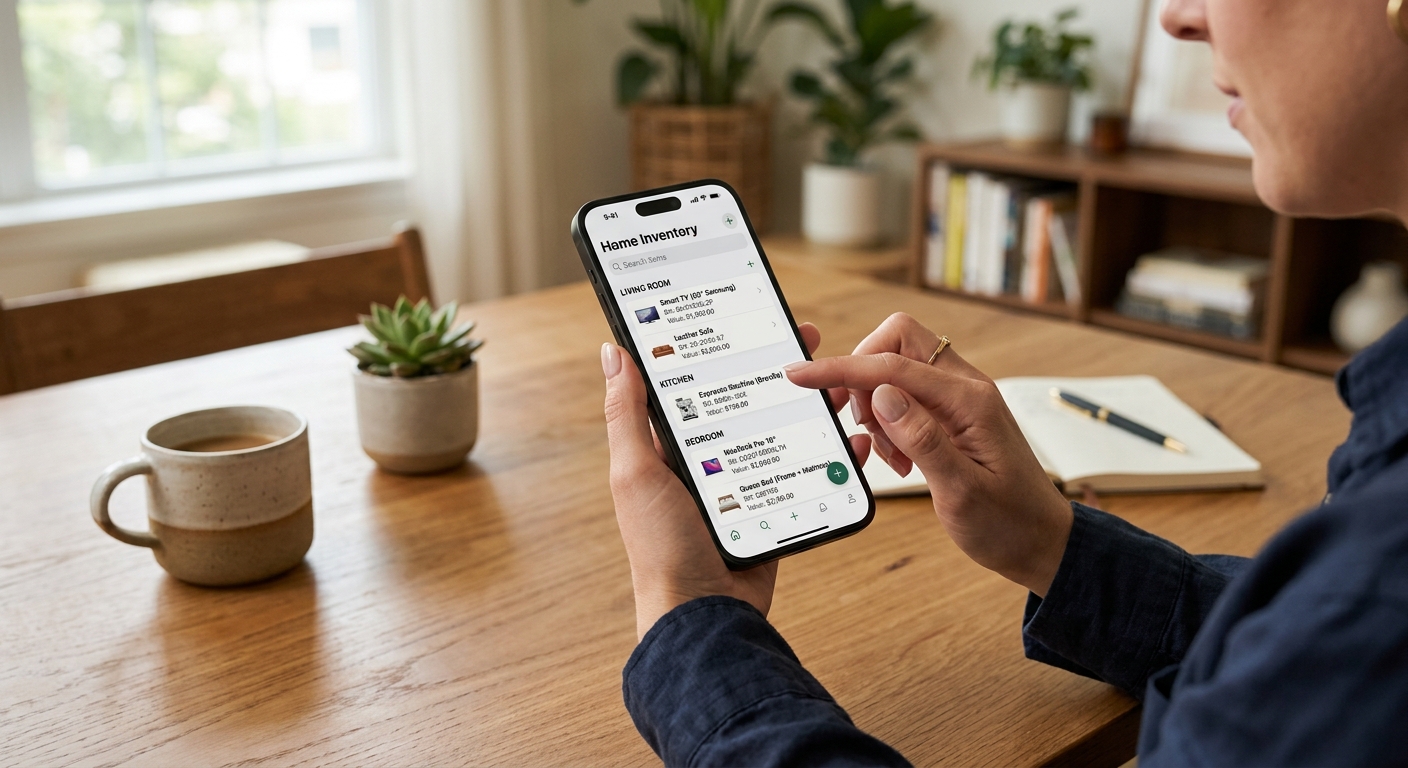
A home inventory taxonomy is a category structure for organizing records of your belongings. Rooms describe location; categories describe item type.
A home inventory is only useful if you can actually find the data when you need it. Dumping 500 items into a single spreadsheet column guarantees frustration during an insurance claim. By structuring your home inventory categories with a clear taxonomy, you ensure every receipt, serial number, and warranty is instantly searchable.
TL;DR
- Separate physical locations (rooms) from item types (categories) to avoid duplicate data.
- Use a two-tier hierarchy: broad top-level categories (Electronics) and specific subcategories (Photography).
- Capture essential metadata for every item, including serial numbers, purchase price, and replacement cost.
- Apply cross-cutting tags for high-value items, active warranties, and proof of ownership.
- Group low-value items into bulk categories to save time.
- Use AI tools to automatically categorize items and extract text from receipts and labels.
Why a flat list fails (and taxonomy wins)
Most people start an inventory by walking room to room, writing down what they see. This creates a flat, location-based list. If you move your $1,200 Breville espresso machine from the kitchen to the pantry, your list is instantly outdated.
A flat list also makes it incredibly difficult to calculate specific values. If your insurance adjuster asks for the total replacement cost of all electronics destroyed in a fire, a room-by-room list forces you to manually hunt through every line item. You will inevitably miss things.
A structured taxonomy separates the what from the where. In library science, this is the difference between a physical shelf location and a subject heading. When you decouple the item category from the room, you can filter your database to show all electronics across the entire house. You can instantly calculate the replacement value of all furniture in the living room. You can pull up every item with an active warranty, regardless of where it sits in your home.
How do rooms, categories and tags differ?
Rooms identify where an item is, categories identify what it is, and tags describe attributes such as warranty status.
To keep your list searchable, you need three distinct data dimensions. Mixing these up is the most common home inventory mistake. If you create a category called "Garage Tools" and another called "Basement Tools," you have broken your taxonomy.
Here is how to separate your data dimensions:
| Dimension | What it answers | Example |
|---|---|---|
| Room (Location) | Where does the item currently live? | Primary Bedroom, Kitchen, Storage Unit |
| Category (Item Type) | What kind of object is this? | Electronics, Furniture, Appliances |
| Tag (Attribute) | What special status does this have? | High-Value, Active Warranty, Inherited |
By keeping these three dimensions separate, you create a relational database. Even if you are just using a spreadsheet, this structure allows you to sort and filter your belongings with precision.
The best home inventory categories
A reliable taxonomy uses broad top-level categories to keep the main list clean, paired with specific subcategories for precise filtering. Here is a practical category structure you can use in a spreadsheet or app.
Electronics & Tech
This category requires the most detailed documentation because these items depreciate quickly but cost a lot to replace. Insurance adjusters will scrutinize these items heavily.
- Computing: Laptops, desktops, monitors, external hard drives.
- Audio & Video: Televisions, soundbars, AV receivers, speakers.
- Photography: Camera bodies, lenses, tripods, drones.
- Smart Home: Security cameras, smart thermostats, lighting hubs.
- Mobile Devices: Smartphones, tablets, smartwatches.
Furniture & Decor
Focus on items with significant replacement value. You do not need to inventory every $15 throw pillow or generic picture frame.
- Seating: Sofas, armchairs, dining chairs, bar stools.
- Tables & Desks: Dining tables, coffee tables, office desks, nightstands.
- Storage: Dressers, bookshelves, filing cabinets, wardrobes.
- Art & Decor: Framed prints, original artwork, rugs, large mirrors.
- Beds & Mattresses: Bed frames, high-end mattresses, headboards.
Appliances
Separate major built-in appliances from countertop gadgets. This distinction often matters for homeowners insurance versus renters insurance.
- Kitchen (Major): Refrigerators, ovens, dishwashers, range hoods.
- Kitchen (Small): Stand mixers, espresso machines, blenders, toasters.
- Laundry & Cleaning: Washers, dryers, vacuums, carpet cleaners.
- Climate Control: Portable air conditioners, space heaters, air purifiers.
Clothing & Wardrobe
Do not list individual t-shirts or socks. Group everyday clothing, but itemize high-value or designer pieces.
- Everyday Wear: Bulk entries for shirts, pants, and casual shoes.
- Formal Wear: Suits, tuxedos, evening gowns.
- Outerwear: Winter coats, leather jackets, specialized rain gear.
- Designer & High-End: Luxury handbags, designer shoes, custom tailoring.
Tools & Equipment
Garages and sheds often contain thousands of dollars in easily stolen goods. These items are highly targeted by burglars.
- Power Tools: Drills, circular saws, air compressors, table saws.
- Hand Tools: Socket sets, wrenches, specialized mechanic tools.
- Lawn & Garden: Riding mowers, string trimmers, snowblowers, chainsaws.
- Sports & Outdoors: Bicycles, golf clubs, camping gear, kayaks.
Collectibles & Valuables
These items often require special riders on your homeowners insurance policy because standard coverage limits are usually too low to replace them.
- Jewelry & Watches: Engagement rings, necklaces, mechanical watches.
- Antiques & Heirlooms: Inherited furniture, rare books, historical artifacts.
- Collections: Trading cards, vinyl records, coin collections, stamps.
- Musical Instruments: Guitars, pianos, brass instruments, synthesizers.
How to handle bulk items and collections
One of the biggest hurdles in organizing a home inventory is deciding what to do with hundreds of small items. Documenting every single fork, paperback book, or baby toy will burn you out.
Instead, use the "lumping" strategy for low-value items. Create a single inventory entry for a logical group of items and assign it a bulk replacement value.
For example, instead of listing 40 individual cooking utensils, create an entry under the Appliances > Kitchen (Small) subcategory called "Assorted Kitchen Utensils." Take one wide photograph of your open kitchen drawers. Assign a replacement cost of $300.
You can do the same for "Assorted Paperback Books" ($400), "Everyday Toddler Clothing" ($250), or "Basic Hand Tools" ($150). Reserve individual line items for objects that cost more than $50 to replace or have a specific serial number.
Essential data fields for every item
Categories only organize the data. The data itself must be detailed enough to survive scrutiny from an insurance adjuster. When building your list, ensure you have dedicated fields for the following metadata.
Core insurance fields
These are the fields you absolutely need to successfully file a claim.
- Item Name: Be specific. "Sony A7IV Mirrorless Camera" is better than "Camera."
- Manufacturer / Brand: Essential for finding current replacement costs.
- Model Number: Proves exactly which version of a product you owned.
- Serial Number: Critical for police reports if an item is stolen.
- Purchase Date: Helps adjusters calculate depreciation.
- Purchase Price: What you originally paid.
- Replacement Cost: What it would cost to buy a similar new item today.
Organizational fields
These fields help you manage your household and track your assets over time.
- Condition: Excellent, Good, Fair, or Poor.
- Appraisal Value: For items that appreciate, like art or jewelry. This requires periodic updates.
- Warranty Expiration: The exact date the manufacturer warranty ends.
- Notes: Any identifying marks, damage, or historical context about the item.
For a complete breakdown of what adjusters look for during a disaster, review our insurance claim guide.
Using tags for high-value items and warranties
Categories dictate what an item is, but tags dictate how you manage it. Tags act as boolean flags—an item either has the tag or it does not. You can apply multiple tags to a single item.
Use tags to highlight items that require immediate attention during an emergency. A "High-Value" tag can instantly pull up all items worth over $1,000, ensuring you prioritize them when filing a claim. An "Active Warranty" tag helps you quickly identify if a broken dishwasher is still covered by the manufacturer.
You can also use tags for administrative purposes. An "Estate Planning" tag applied to specific heirlooms simplifies drafting a will. A "Business Use" tag isolates items you use for a home business, which is highly useful for tax deduction purposes. A "Needs Appraisal" tag reminds you to contact a professional for your growing watch collection.
How AI simplifies inventory categorization
Building a taxonomy from scratch in a spreadsheet is tedious. Manually typing out categories, subcategories, model names, and serial numbers is the main reason people abandon their home inventory projects.
This is exactly the problem Arclyst solves. Instead of typing data into cells, you simply take a photo of the item. Arclyst uses AI to identify the object, automatically assign it to the correct category, and sort it by room. It can even extract text like serial numbers and model names directly from the manufacturer's label.
You can upload receipts directly to the item record, ensuring your proof of ownership is tied to the exact object. When you need to share this data, paid tiers allow you to export a PDF Claim Pack or share items via QR code. If you want to see how the auto-categorization works without downloading anything, you can try the interactive demo.
FAQ
Should I categorize by room or by item type?
Always categorize by item type (e.g., Electronics, Furniture) and use the room as a separate location field. This allows you to filter your inventory by either dimension without creating duplicate categories like "Living Room Electronics" and "Bedroom Electronics."
How granular should my categories be?
Stick to 5 to 8 top-level categories and 15 to 20 subcategories. If your taxonomy gets too specific, you will waste time deciding where an item belongs. If an item does not fit neatly into a subcategory, leave it at the top level.
What is the best way to track warranties?
Attach a digital copy of the receipt and the warranty document directly to the item record. Apply an "Active Warranty" tag and note the expiration date in a dedicated data field. This prevents you from digging through file cabinets when an appliance breaks.
Do I need to inventory every single item in my house?
No. Focus on items with a replacement cost of $50 or more, items that are difficult to replace, and items prone to theft. Group smaller items together. For example, you can create a single entry for "Assorted Kitchen Utensils" and assign it a bulk replacement value of $300. Review our home inventory checklist for a room-by-room breakdown of what to document.
How often should I update my inventory categories?
You rarely need to change your core categories once they are set. However, you should update the items within those categories at least once a year, or immediately after a major purchase. A good habit is to add new electronics or furniture to your inventory the same day you unbox them.
Start building your searchable inventory
A structured inventory protects your assets and speeds up insurance claims. Whether you use a detailed spreadsheet or a dedicated app, sticking to a clear taxonomy is the key to keeping your data useful.
If you want to skip the manual data entry, Arclyst lets you photograph items and have AI handle the categorization, descriptions, and room sorting. The free tier includes up to 55 items and 15 AI scans per day. The web app and Android app are available now, and the iOS waitlist is open. Start organizing your belongings at arclyst.org.

Related guides
Want a frictionless way to catalog what you own? Try Arclyst — free for 55 items. Snap a photo, AI fills in the details.