 All posts
Why a video walkthrough is not enough for insurance claims
A video walkthrough is not enough for an insurance claim. Learn why adjusters require structured photos, serial numbers, and itemized documentation.
Corey Everett built Arclyst from a background in Library and Information Science, with the goal of bringing structured information management into everyday home life.
Gemini-assisted drafts are reviewed by Corey Everett before publication.
Publisher: EverCreate Studio
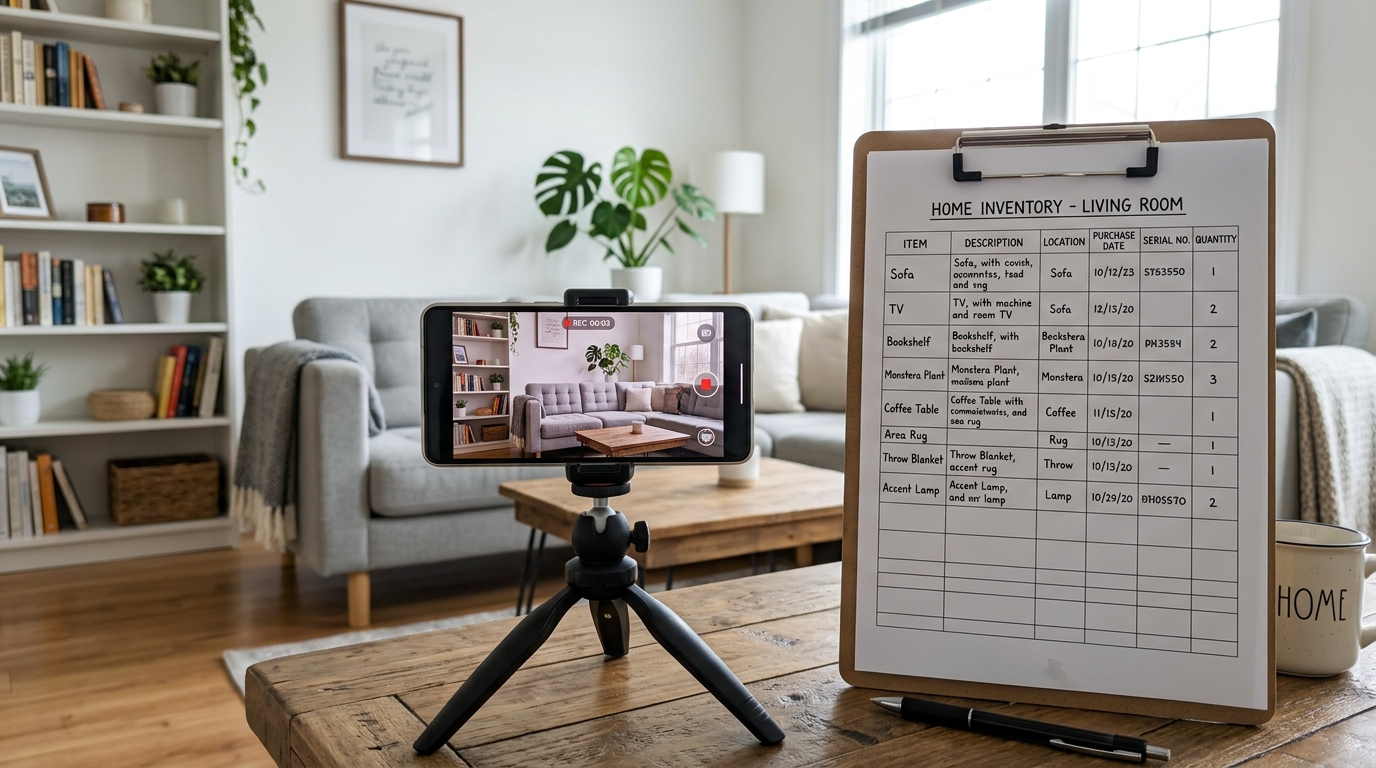
A video walkthrough is a recording of your rooms and belongings. It can supplement an itemized inventory and close-up photos.
Walking through your house recording a single 15-minute video feels like an efficient way to document your belongings. You open closets, pan across the living room, and narrate what you own. But when a disaster strikes, handing an insurance adjuster a massive video file creates a bottleneck that delays your payout.
Insurance claims are processed using itemized spreadsheets, not unstructured media. To get reimbursed for a $1,200 espresso machine or a $2,500 custom sofa, you need specific documentation tied directly to that item. A video walkthrough is a helpful supplement, but relying on it as your primary home inventory is a critical mistake.
TL;DR
- Insurance adjusters process claims using a Schedule of Loss, which requires individual line items for every damaged belonging.
- Video compression and motion blur make it nearly impossible to read serial numbers, model tags, and receipts from a moving camera.
- Extracting still frames from a video to attach to specific claim line items requires hours of manual work during a stressful time.
- Audio narration on videos is often incomplete, muffled, or lacks the specific details required for Replacement Cost Value (RCV) payouts.
- A video walkthrough is excellent for proving the general layout and condition of your home, but structured photos are required for proof of ownership and valuation.
- Modern inventory tools allow you to generate PDF claim reports that match exactly what insurance companies require.
How insurance adjusters process claims
When you file a claim for a fire, flood, or major theft, the insurance company assigns an adjuster to verify your losses. They do not sit down to watch a 20-minute MP4 of your house.
Adjusters use specialized claims software to build a Schedule of Loss. This is a highly structured document where every single item you are claiming requires its own row. For every row, the adjuster needs to input the item description, age, purchase price, replacement cost, and proof of ownership.
If you submit a video, the burden falls entirely on you to translate that video into a spreadsheet. You will have to scrub through the footage, pause, take screenshots, and manually type out the details for hundreds of items. If you miss an item because it was hidden in a drawer during your video walkthrough, you cannot claim it.
Consider the difference between a vague video and a structured line item. A video might show a "coffee maker" on the counter. A structured inventory lists a "Breville Barista Express Espresso Machine, Model BES870XL, purchased 2022 for $750." The former might get you a $40 payout for a generic drip coffee maker. The latter gets you the actual replacement cost. For a deeper look at this process, review our insurance claim guide.
The technical failures of video for insurance documentation
Smartphones shoot incredible video, but the format itself is fundamentally flawed for detailed documentation.
Motion blur and focus hunting
When you pan a camera across a room, the lens is constantly adjusting focus and exposure. If you point the camera at the back of a television to capture the manufacturer sticker, the camera often struggles to focus on the tiny text in low light. Even if it looks clear on your phone screen in the moment, pausing the video later often reveals a blurry, illegible mess. Adjusters cannot accept a blurry gray rectangle as proof of a specific model number.
File compression and resolution loss
To keep file sizes manageable, smartphones and cloud storage services compress video files. A 4K video might look pristine on your device, but once it is backed up to a cloud drive, texted to a family member, or emailed to an adjuster, the compression algorithms discard fine details. A serial number that is 10 pixels high will be turned into a smudge by standard video compression. Still photos, especially when stored in a dedicated app, retain the high resolution necessary to zoom in and read fine print.
The metadata problem
When you take a digital photograph, the file contains Exchangeable Image File Format (EXIF) data. This metadata includes the exact date, time, and GPS location where the photo was taken. If an insurer questions whether you actually owned an item before a fire, the EXIF data on a specific photo provides strong proof.
With a video, you only have one set of metadata for the entire file. You cannot attach specific location or timestamp data to individual items shown at the 4:12 or 9:35 marks.
Audio narration pitfalls
Many people rely on their own voiceover during a video walkthrough to document details. You might point at a bicycle and say, "Trek mountain bike, bought last year." This is insufficient for a claim. Trek makes dozens of models ranging from $500 to $12,000. Furthermore, background noise, muffled audio, or simply forgetting to mention the price or model number renders the narration useless.
Home inventory photos vs video: A direct comparison
Understanding the limitations of both formats helps you build a more resilient inventory.
| Feature | Video Walkthrough | Structured Photos |
|---|---|---|
| Adjuster Preference | Low (Requires manual extraction) | High (Easily attached to line items) |
| Serial Numbers & Text | Poor (Prone to motion blur) | Excellent (High resolution, static) |
| Searchability | None (Must scrub through timeline) | High (Can be tagged, sorted, and filtered) |
| Metadata | Single timestamp for entire house | Individual timestamps for every item |
| Time to Create | Fast (15-30 minutes) | Slower (Requires individual capture) |
| File Size & Sharing | Very large, hard to email | Small, easily exported as PDFs |
High-risk categories where video fails
Certain categories of belongings require precise documentation. A sweeping video pan will almost always fail to capture the necessary details for these items.
Electronics and appliances
Insurance policies typically pay out based on Actual Cash Value (ACV) or Replacement Cost Value (RCV). To get the correct RCV for a high-end electronic device, you must prove the exact model. A video showing a "black LG TV" is not enough. LG makes entry-level televisions that cost $300 and flagship OLED models that cost $3,000. Without a clear photo of the model number or a receipt, an adjuster will default to the lowest replacement cost available for a TV of that size.
Jewelry, watches, and art
High-value items require extreme detail. A video cannot capture the hallmark on a gold ring, the specific dial configuration of a mechanical watch, or the artist's signature on a canvas. These items also frequently require separate appraisals or riders on your policy. A video walkthrough does not link the physical item to its corresponding appraisal document.
Power tools and garage equipment
Garages are notoriously poorly lit. Panning a camera across a workbench will show that you own tools, but it will not differentiate between a $30 generic drill and a $250 Makita 18V brushless drill. Tools are highly targeted in thefts, and proving exactly which models were stolen requires clear, well-lit photos of the manufacturer labels.
How can you combine video with inventory photos?
Use video to show room context and photos to capture individual items, labels and supporting documents.
You do not have to abandon video entirely. The most resilient home inventories use a hybrid approach, combining the speed of video with the precision of structured photos.
1. Shoot a continuous condition video
Record a single, continuous video walking through your home. Open every door, pan across every room, and open major cabinets. Do not worry about capturing serial numbers or tiny details. The purpose of this video is to prove the general condition of the home, the layout, and the fact that the items existed in that space at a specific point in time. Store this video securely in the cloud.
2. Capture structured photos of individual items
Use a systematic approach to photograph your belongings. Start with high-value categories: electronics, jewelry, appliances, and furniture. For each item, take three specific photos:
- A wide shot showing the item in the room.
- A close-up of the manufacturer tag, model number, or serial number.
- A photo of the receipt or appraisal, if available.
To ensure you do not miss critical categories, follow a structured home inventory checklist.
3. Group low-value bulk items
You do not need an individual photo of every pair of socks or every wooden spoon. For low-value items, take group photos. Open a kitchen drawer and take one clear overhead shot of the utensils. Open your closet and take a photo showing the density and general brands of your clothing. This is sufficient for an adjuster to estimate a bulk replacement value.
4. Digitize and categorize
Instead of dumping hundreds of photos into a generic cloud folder, use a dedicated system to organize them. This is where AI-assisted tools streamline the process. When you photograph an item, modern inventory apps can automatically identify the object, extract the text from the receipt, and categorize it by room. This links the visual proof directly to the data the adjuster needs.
FAQ
Will my insurance company accept a video walkthrough?
Yes, insurance companies will accept a video as evidence of ownership. However, they will not process the claim directly from the video. They will require you to extract the information from the video and provide an itemized list of your losses. The video serves as backup proof, not the primary claim document.
Do I need a photo of every single item I own?
No. For low-value bulk items like clothing, books, or kitchen utensils, group photos are usually sufficient. For example, a clear photo of an open closet showing 20 shirts is generally enough to claim a standard wardrobe. Reserve individual, detailed photos for items valued over $100 or items that require specific model numbers to replace.
What if I do not have receipts for my belongings?
While receipts are the best proof of purchase, they are not the only acceptable documentation. Clear photos of the item, especially photos showing the serial number or model tag, are widely accepted by adjusters as proof of ownership. Bank statements, credit card histories, and user manuals can also substitute for original receipts.
How often should I update my home inventory?
You should update your inventory whenever you make a major purchase, such as buying new furniture, upgrading your television, or acquiring expensive jewelry. At a minimum, review your inventory once a year. Many people choose to do this during tax season or when renewing their homeowner's or renter's insurance policy.
How should I store my home inventory documentation?
Never store your only copy of a home inventory on a physical hard drive or paper file inside your house. If the house burns down, the inventory burns with it. Store your structured photos and itemized lists in a secure, cloud-based system so they can be accessed from any device after a disaster.
Can I just use a spreadsheet instead of an app?
A spreadsheet is better than nothing, but it requires manual data entry and forces you to manage image attachments separately. A dedicated inventory system links the photo, the serial number, and the valuation in a single database. This makes it much easier to export the exact documentation required when filing a claim.
Stop scrubbing through video files
When you are dealing with the aftermath of a disaster, the last thing you want to do is spend three days pausing a shaky video to type out model numbers. Insurance claims require structured, itemized data.
Arclyst is designed specifically to solve this problem. You take the photos, and the AI helps identify, describe, and categorize your belongings by room. The free tier allows you to document up to 55 items with 15 AI scans per day. If you need to file a claim, the Pro tier generates a standardized PDF Claim Pack—exactly the format insurance adjusters need to process your payout quickly.
Start building a structured, claim-ready inventory for free at arclyst.org. You can also see how the AI categorization works by trying our interactive demo.
Related guides
Want a frictionless way to catalog what you own? Try Arclyst — free for 55 items. Snap a photo, AI fills in the details.