 All posts
Serial Number Warranty Tracking Software: Buyer's Guide
Discover if you need dedicated serial number warranty tracking software or a home inventory app. Compare features, spreadsheets, and claim documentation tools.
Corey Everett built Arclyst from a background in Library and Information Science, with the goal of bringing structured information management into everyday home life.
Gemini-assisted drafts are reviewed by Corey Everett before publication.
Publisher: EverCreate Studio
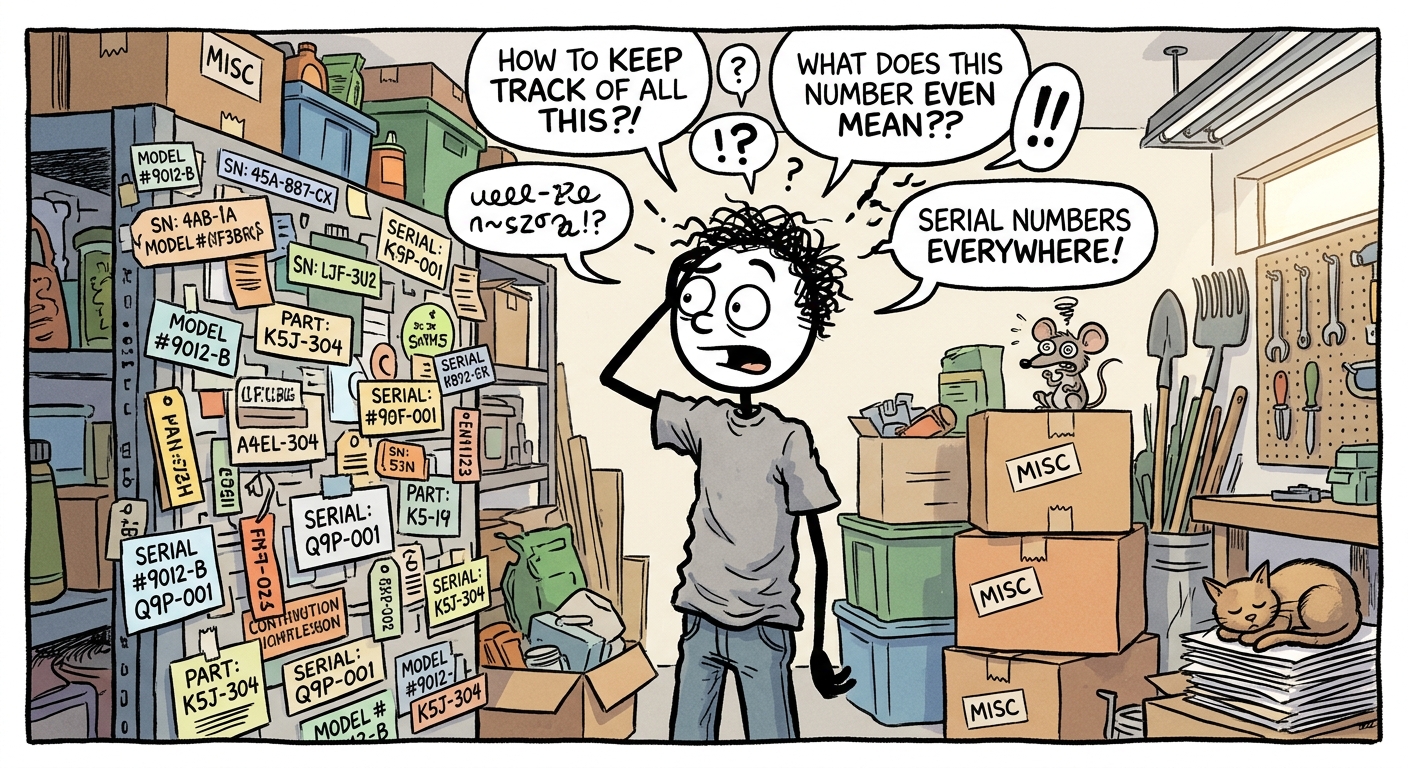
Serial number warranty tracking software is a digital system designed to log your belongings alongside their unique identifiers, purchase dates, and proof of purchase. It is worth paying for only if you specifically need automated expiry alerts and claim-ready service records. If your primary goal is general insurance documentation, a photo-based home inventory app often covers the same ground with significantly less overhead.
This guide breaks down the features that actually matter during a claim, compares dedicated trackers against standard home inventory apps, and explains why the spreadsheet you started three years ago remains unfinished.
Key takeaways
- Automated alerts define the category: Serial number warranty tracking software is worth paying for only if you actively need expiry alerts and claim-ready maintenance records.
- Four features dictate usefulness: The best tools offer reliable serial capture, functional expiry alerts, direct receipt linkage, and universal data export.
- Spreadsheets fail due to friction: A spreadsheet is technically sufficient for tracking under 15 warrantied items, but most fail due to abandonment rather than format limitations.
- Serial numbers protect payouts: A documented serial number proves the specific item model, helps match stolen property to police reports, and heads off aggressive depreciation disputes.
- Visual catalogs often suffice: Photo-based home inventory apps cover most standard insurance documentation needs better than dedicated, text-heavy warranty trackers.
What is serial number warranty tracking software and who is it for?
Serial number warranty tracking software records the critical metadata for the items you own. For each asset, it logs the serial number, purchase date, receipt or proof of purchase, and the specific warranty terms that came with the product. The primary objective is to create a highly searchable catalog you can instantly pull up during a manufacturer warranty claim or an insurance dispute, eliminating the need to dig through a drawer of faded, unorganized receipts.
Households vs. hobbyists vs. small businesses
Different users require entirely different levels of detail from their tracking systems:
- Households: Standard households primarily use these tools to build proof of ownership before a fire, theft, or severe storm. The focus is usually on a room-by-room visual record rather than deep service histories.
- Hobbyists and collectors: Photographers, musicians, and collectors track cameras, instruments, or specialized tools where a single serial number can be worth a substantial insurance claim on its own. They need exact model verification.
- Small businesses: Contractors and small business owners track equipment for warranty service, routine maintenance, and replacement value. They often require check-in/check-out features and depreciation tracking.
The upkeep challenge of physical systems
The catch with any organizational system is upkeep. Physical systems, such as QR smart-label organizing stickers, often leave adhesive residue and require you to manually update an app every time you move an item. Software that starts from photos, like Arclyst's approach to serials and warranties, lowers that burden by extracting data visually. However, no tool works if you stop entering new purchases.
Which features actually matter when comparing warranty tracking tools?
Four features separate tools that hold up during a stressful insurance claim from tools that simply look good in a marketing demo. You need to know how serial numbers get captured, whether expiry alerts actually fire, whether receipts stay attached to item records, and whether you can easily export everything when your insurer asks.
Serial capture: Photo and OCR vs. manual entry
Typing 16-character alphanumeric serial numbers by hand is exactly why most home inventory attempts die on the couch. Photo capture with Optical Character Recognition (OCR) reads the number directly off a manufacturer label or receipt. This matters most for heavy appliances and electronics where the serial plate sits on a dusty back panel you only see once a year.
Manual entry is fine for a handful of high-value items, but it does not scale to a whole house. If you skip serial capture entirely because the data entry is too tedious, your potential payouts shrink. We cover the financial impact of this in our guide on why missing serial numbers reduce insurance payouts.
Warranty expiry alerts: Do they actually fire?
An alert that requires you to actively remember to open the app is not a functional alert. When evaluating a dedicated warranty tracker, check whether reminders arrive by email or system-level push notification. Furthermore, check whether they can be configured to fire 30 days before expiry rather than on the exact day the warranty ends.
Tip: Test this in week one of using a new app. Add a test item with a fake warranty expiration date set for tomorrow, and see what actually lands in your inbox.
Proof-of-purchase linkage: Receipts attached to the item record
A PDF receipt buried in your email inbox and an item record sitting in your tracking app are two separate data points that will not magically find each other during a frantic claim process. The tracking tool must allow you to attach the receipt photo, the warranty document, and a purchase date directly to the item itself. The goal is one unified record accessible with one tap.
Export for claims: Can you hand a file to your insurer?
After a major loss, you need to provide a single, clean file listing your items, serial numbers, replacement values, and receipts to an insurance adjuster. PDF or CSV export is the ultimate test of a platform's utility. A tool without robust export capabilities effectively traps your documentation inside its own ecosystem, rendering it useless when you need to share it externally.
Secondary criteria worth checking
| Criterion | Why it matters for claims and tracking |
|---|---|
| Multi-photo support | One angle rarely shows the model number, serial plate, and overall condition simultaneously. |
| Room assignment | Adjusters typically process large-scale claims room by room to maintain order. |
| Offline capture | Wi-Fi and cellular service are often down immediately following a severe storm or disaster. |
| Renters coverage | Renters need the exact same rigorous documentation, just with a smaller total item count. |
Arclyst covers photo-based serial capture, allows receipts to be attached to specific items, supports room assignment, and features universal export. However, because its OCR can occasionally misread worn or scratched labels, you should always verify the extracted number on screen before saving the record.
How does warranty tracking software differ from a home inventory app?
The two software categories overlap heavily on one primary job: recording what you own. Beyond that foundational task, they optimize for entirely different moments in the lifecycle of your belongings.
Where the categories overlap
Both categories capture serial numbers, receipts, and photos, and both provide a searchable catalog of your belongings. If your only goal is proof of ownership after a fire or burglary, major insurance carriers typically ask for item descriptions, purchase dates, and receipts or photos to substantiate a claim. A standard home inventory app covers that exact list.
Where a dedicated tracker wins
Dedicated warranty tools are built around temporal data: expiry dates, service records, and claim deadlines. If you juggle dozens of appliances, power tools, and electronics with staggered warranties, that rigid structure earns its keep. Tools like Sortly are built specifically for this kind of granular, item-level tracking and lifecycle management. For users deciding between these systems, reviewing a Sortly alternative comparison can clarify which features are strictly necessary.
Where a home inventory app wins
Most households need a spatial, room-by-room record of everything they own, not a deep service history on a few select items. Arclyst starts from photos and builds a searchable visual record of your whole home, which is the format an insurance claim actually consumes.
The trade-off is honest: Arclyst will not chase warranty expiry dates for you, so you must pair it with standard calendar reminders if warranties matter to you. That is the slice of warranty tracking most people actually need, and the rest is often unnecessary overhead. For a deeper look at how a photo-first catalog works in practice, see our guide on ditching the manual home catalog.
How do serial numbers strengthen warranty and insurance claims?
A serial number performs three specific jobs that a photograph of the item alone cannot accomplish.
- Proves the specific item: Your claim lists the exact high-end television you actually bought, preventing the insurer from substituting a similar, cheaper base model.
- Matches stolen property: After a theft, the serial number on your record can be matched against police reports and national recovered-property databases. This is often the only way stolen items get legally routed back to their rightful owner.
- Heads off depreciation disputes: The insurer can verify the exact model, specifications, and manufacture date instead of estimating a heavy depreciation penalty based on a generic description.
The payout impact is where this matters most: a documented serial number plus a valid receipt turns a guess into a hard number. Capture the serial number while the item is physically in your hands; after a total loss, that data is usually gone forever.
What should you capture at purchase time: serial, receipt, or both?
The 30-second capture routine for new purchases
For anything you would list on an insurance claim, take four specific photos before you throw the retail box away:
- The item itself: A wide shot showing the item in your home.
- The serial plate: A close-up of the manufacturer sticker (usually on the back or bottom).
- The receipt: A flat, well-lit photo of the paper receipt or a screenshot of the email invoice.
- The box label: A photo of the retail box showing the UPC and model number.
Add the purchase date to the record, and you are done. That covers proof of ownership and proof of purchase in one pass. A searchable catalog built from photos easily beats a spreadsheet you never finish. If you are documenting older items, our guide covers the photo-first approach for proving ownership when the receipt is already gone.
When the receipt alone is enough
For low-value items, you can safely skip the serial plate. A standard kitchen chair or a $30 desk lamp rarely needs more than a receipt photo, and many claims never require documentation for these items at all. Consumer protection guidelines generally indicate that to get warranty service, you primarily need to show that the product is within the warranty period, which is where a dated receipt matters most. Save the full four-photo routine for electronics, major appliances, and anything valued over a few hundred dollars.
When is a dedicated warranty tracker worth it versus a spreadsheet?
The spreadsheet ceiling
Count your warrantied items. If you land under roughly 15 items, a spreadsheet or a simple photo-based inventory covers you perfectly: serial number, purchase date, receipt photo, done.
The failure mode for most households is not the format of the spreadsheet; it is abandonment. A spreadsheet nobody updates after the first weekend is worth exactly nothing at claim time. Linking local image files to spreadsheet cells creates friction, which is why time studies comparing spreadsheets to AI extraction heavily favor visual tools. Walking room by room with your camera is a task you will actually finish.
Dedicated tracking starts paying for itself when you cross into territory that spreadsheets handle badly: items with ongoing service records, equipment you claim on a business tax return, or appliances where an expiry date should trigger mandatory maintenance. If none of those describe your situation, do not pay for a dedicated tracker.
Where Arclyst falls short on warranty workflows
Honest scoring against the same criteria requires acknowledging limitations. Arclyst builds the proof-of-ownership record exceptionally well, since photos, serials, and room assignments are the core of the product. However, it is not a service-history tool.
It will not log a repair visit, track a manufacturer claim in progress, or push expiry-driven maintenance schedules the way a dedicated tracker aims to. If your main job is documenting belongings so an insurance claim has evidence behind it, that trade-off is fine. If you are managing a photography studio's gear through constant warranty repairs, you need a tool built specifically for that workflow, and Arclyst is not it.
How do you move an existing asset list into a tracking tool?
Start with photos of your ten to twenty highest-value items, not a full, exhausting sweep of every drawer in the house. A searchable catalog built from photos of electronics, jewelry, and instruments covers the vast majority of a standard claim's dollar value, and you can finish it in a single evening. Tools like Sortly, Encircle, and Vorby all support photo-based entries with serial fields and exports, so a partial record can still be successfully moved into a claim later. (If you are migrating away from older software, check our Vorby alternative guide).
Prioritize by claim impact, not by room
Working room by room feels orderly but almost guarantees you will stall out in a hallway closet full of linens. Instead, rank items by what an adjuster would actually ask to see: serial numbers on electronics, receipts on anything over a few hundred dollars, and warranty paperwork where the expiry date still matters. Add serial numbers only where they change the financial outcome, which is mostly in theft claims and high-value proof of ownership disputes.
Keeping the record alive after the initial push
The ultimate trap is treating inventory as an all-at-once project that never gets finished, and then decays as you buy new things. Add an item only when you buy it or move it, and batch-import your digital receipts monthly if your tool supports it. Ten minutes of maintenance a month beats a lost weekend you will never actually take.
Which tools fit which situation?
- For insurance documentation: Start with photos. Arclyst builds a searchable, room-by-room catalog from pictures of your belongings, ensuring proof of ownership exists before you need it. Its limit is honest: it is not built for item-level business tracking.
- For small business tracking: Sortly fits the job of tracking items with exact locations, check-outs, and lifecycle details for a small business.
- For claims-grade workflows: Encircle is claims-grade documentation used directly in the insurance workflow, which is generally more complex than a standard household needs.
- For basic visual storage: Google Photos is the status quo for many: thousands of pictures, but none of them are searchable as a structured catalog.
Match the tool to the specific loss you are actually preparing for, and focus on finishing the initial documentation.
FAQ
What is the best app to track serial numbers and warranties?
For insurance documentation, Arclyst builds a searchable, room-by-room catalog from photos, featuring serial capture and receipt attachment. Sortly suits item-level tracking and lifecycle management for small businesses, while Encircle targets claims-grade insurance workflows. If expiry alerts and service history are your top priority, a dedicated warranty tracker fits better than a standard inventory app.
Do I need warranty tracking software or just a home inventory app?
If your goal is proof of ownership for an insurance claim, a home inventory app covers it, since carriers primarily ask for descriptions, purchase dates, and receipts. Dedicated warranty tracking earns its keep only when you juggle dozens of appliances with staggered warranties, service records, or claim deadlines. Most households only need the inventory side.
How do I find serial numbers for items I already own?
Start with your ten to twenty highest-value items, such as electronics, jewelry, and instruments. Photograph the serial plates on back panels, original boxes, or manufacturer labels, and check your original receipts or warranty paperwork. Rank your efforts by claim impact rather than working room by room.
Can I export my home inventory to my insurance company?
Export capability is the ultimate test of any tracking tool. After a loss, you need a single file listing items, serials, values, and receipts, so look for PDF or CSV export before committing to a platform. Tools like Sortly, Encircle, and Vorby support photo-based entries with exports, and Arclyst includes universal export alongside room assignment and receipt attachment.
Is a spreadsheet good enough for tracking warranties?
For under roughly 15 warrantied items, yes: logging the serial number, purchase date, and linking a receipt photo is sufficient. However, the failure mode is abandonment, not the format itself; a spreadsheet nobody updates after the first weekend is worth nothing at claim time. Spreadsheets also handle service records and business equipment check-outs poorly.
Related guides
Want a frictionless way to catalog what you own? Try Arclyst — free for 55 items. Snap a photo, AI fills in the details.